
tools:pams_xnat_transfer:manual_upload_mri_data_to_xnat
Manual upload of MRI data to XNAT
In case of missing projects/permissions in XNAT:
The permissions for projects in XNAT are assigned via the INF project. Please contact either directly Christian Löschen or INF-Projekt Mailingliste.
Procedure
Login to the XNAT, if necessary: https://xnat.zih.tu-dresden.de
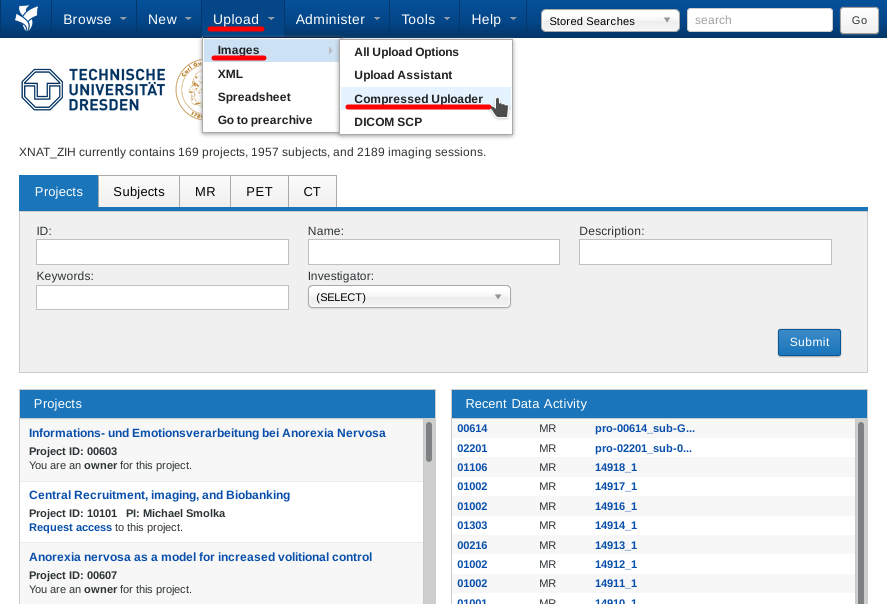
1. Navigate to upload page (Compressed Uploader) - Pic. 1
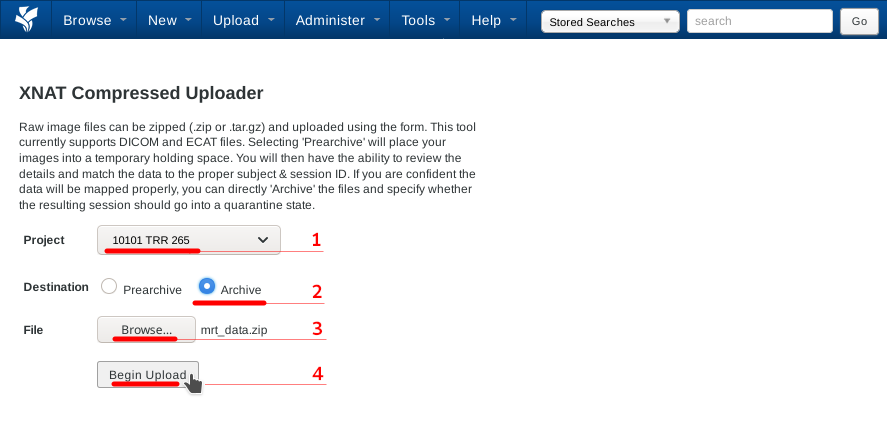
2. Prepare upload - Pic. 2
- Select Project
- Select “Archive” as destination folder
- Select zip file in file system
- Start Upload
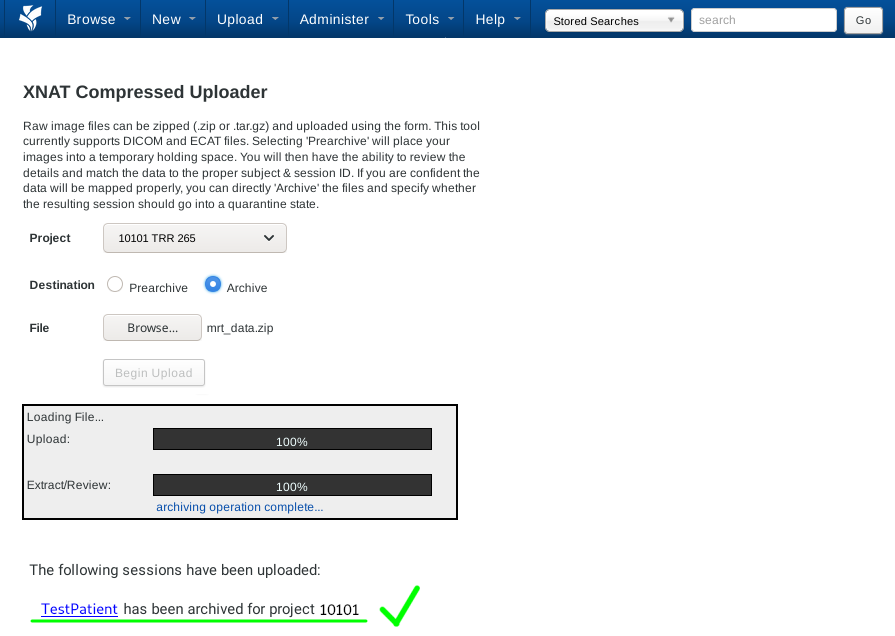
3. Wait a short time, ready - Pic. 3
The uploaded scan can be found immediately in the corresponding project.
Pic. 1: Navigate to upload page
Pic. 2: Prepare upload
Pic. 3: Upload completed
tools/pams_xnat_transfer/manual_upload_mri_data_to_xnat.txt · Last modified: by s1111233@tu-dresden.de