
Table of Contents
Accessing UKD resources via Parallels
UKD members are obliged to submit certain information, such as vacation times, electronically. To do this, when you are not at the UKD campus but for example at the FAL, follow this procedure:
1. Install the Parallels client:
- In a browser, connect to zts.med.tu-dresden.de/userportal/signin. Because this is an unsecure site, you may need to allow the access via the advanced settings. Click “Connect to …”
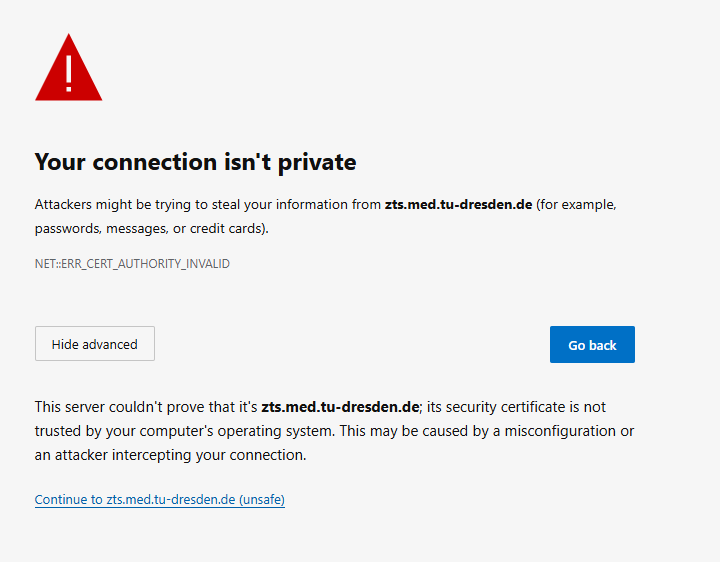
- Do NOT sign in, but simply download the client in the upper right corner.
- To configure the client, press the button “Configure” on the download page.
- If you cannot access the website, you can also download the client from \\vs-grp02.zih.tu-dresden.de\nic_austausch\SeSyN\Software\Parallels_Client_UKD.
- To configure manually after start up, press the “+” for “New connection” and enter the information Server: zts.med.tu-dresden.de; Port: 443; Connection Mode: Gateway SSL Mode.
- If you do not have administration rights, the Parallels_Client is also available on the baramundi kiosk. It can be installed from there and configured via the “Configure” button on the above download page.

2. Login and Changing Password
You need a med-login. If you do not have one, try to contact helfi@ukdd.de oder 0351-458-7070 oder within the FAL 118-7070 with your 'Personalnummer'. They may be able to create one for you. Otherwise, you may have to go through your superior.
To change the password, you can use a right click on the Parallels connection to zts.med.tu-dresden.de and use “Change domain password”:

Should HELFI reset your password, you should call them to find out your initial password. This may not be usable instantaneously on Parallels. It worked for me on the next day.
3. Transfering Files to your Local Computer
By using the All_apps > Desktop > Desktop-PSY, you should see your local drives in the Windows Explorer. This is not the case for Desktop-UKD.

4. Using Forms on the "Mitarbeiterportal"
Note that some Forms, maybe most, are only available when the German language is selected at login. An example is the form for “Nebentätigkeiten”.