
tutorials:parallels
This is an old revision of the document!
Table of Contents
Accessing UKD resources via Parallels
UKD members are obliged to submit certain information, such as vacation times, electronically. To do this, when you are not at the UKD campus but for example at the FAL, follow this procedure:
1. Install the Parallels client:
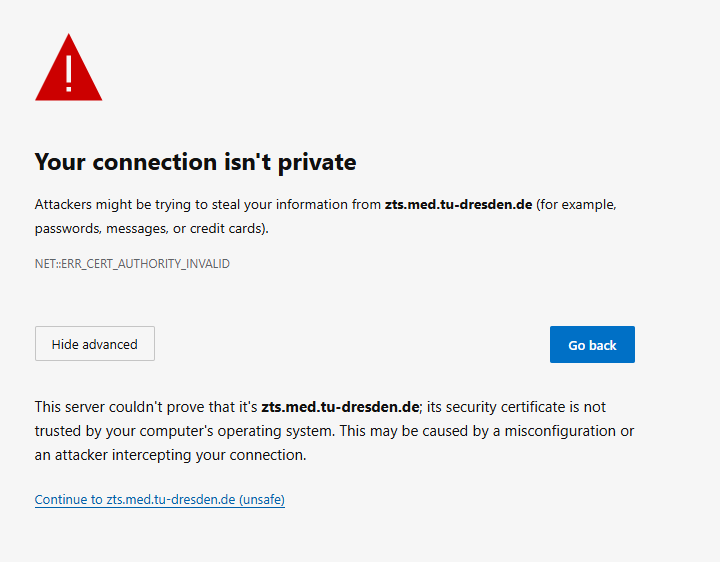
- In a browser, connect to zts.med.tu-dresden.de/userportal/signin. Because this is an unsecure site, you may need to allow the access via the advanced settings.
- Do NOT sign in, but simply download the client in the upper right corner.
- To configure the client, press the button “Configure” on the download page.
- If you cannot access the website, you can also download the client from \\vs-grp02.zih.tu-dresden.de\nic_austausch\SeSyN\Software\Parallels_Client_UKD.
- To configure manually after start up, press the “+” for “New connection” and enter the information Server: zts.med.tu-dresden.de; Port: 443; Connection Mode: Gateway SSL Mode.

2. Login and Changing Password
You need a med-login. If you do not have one, try to contact helfi@ukdd.de oder 0351-458-7070 oder within the FAL 118-7070 with your 'Personalnummer'. They may be able to create one for you. Otherwise, you may have to go through your superior.
To change the password, you can use a right click on the Parallels connection to zts.med.tu-dresden.de and use “Change domain password”:

tutorials/parallels.1760619993.txt.gz · Last modified: by marxen_tu-dresden.de · Currently locked by: 216.73.217.151